
ChatOn - AI Chat Bot Assistant
AIBY Inc.Productivity
4.55.02K Reviews
- Version
- 1.105.841-908
- Installs
- 10.00M
- Age Rating
- Teen
Screenshots
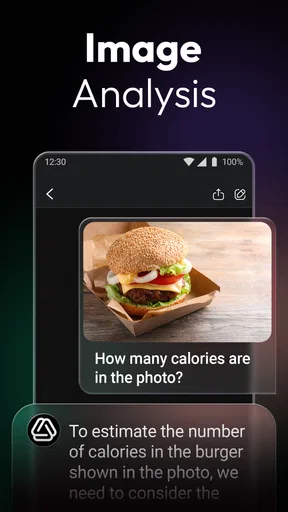
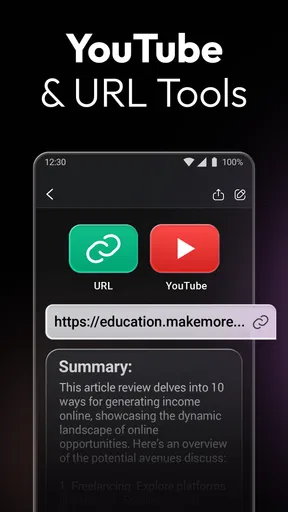
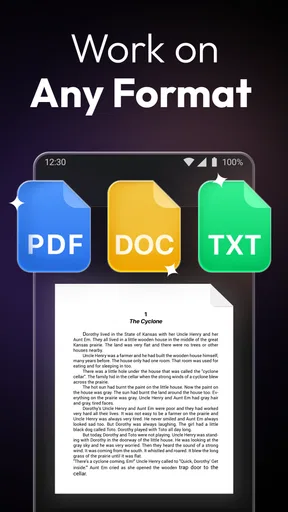
Our Review of ChatOn - AI Chat Bot Assistant
 Analysis by Appyee
I find ChatOn most useful when I treat it as a flexible writing and thinking partner rather than a magical assistant that already knows my schedule. It can help me get past a blank page, reshape a rough thought, or explore a question in ordinary language. That makes it a practical fit for quick tasks that would otherwise send me hopping between apps, though I still check important answers and handle time-sensitive actions myself.
A pocket helper, not a replacement for your tools
In the productivity app space, ChatOn takes a different route from a traditional to-do list or notes app. Those tools are better when I need dependable lists, saved records, and clear reminders that I can review later. A conversational assistant is more useful when I’m not yet sure what I need: I can describe a goal, ask for options, and refine the result through follow-up prompts. I see that as its main advantage, but it also means I shouldn’t assume a chat response has actually changed my calendar, sent a message, or created a lasting task.
A simple workflow that works well is to ask for one concrete outcome at a time. For example, I might paste a messy set of ideas and ask for a short agenda, then request a version grouped by priority. I can copy the result into the tool where I actually manage my work. That extra handoff is less seamless than a dedicated task manager, but it keeps me in control of what becomes a commitment instead of treating conversational suggestions as completed actions.
Where a little prompting makes a difference
The quality of the exchange depends on how clearly I describe the job. “Help me write an email” leaves plenty of room for a generic draft; explaining who it is for, what I want them to do, and the tone I’m aiming for gives the assistant a much more useful starting point. I also like asking it to produce a few alternatives or shorten a draft, rather than accepting the first answer as finished. That turns a broad text tool into a more focused editor.
For everyday planning, I’d use it to brainstorm a meal plan, sort errands into a sensible order, or turn a long topic into questions I can investigate. Those are useful starting points, not guarantees that every suggestion fits my circumstances. If I’m dealing with allergies, a strict budget, a deadline, or information that has to be exact, I’d state those limits clearly and double-check the result before acting. That habit matters more than trying to find a perfect prompt.
Who gets the most from it
I’d recommend ChatOn to someone who wants a single place to try different AI-assisted tasks, especially if they often draft messages, need help organizing thoughts, or enjoy asking follow-up questions instead of searching through menus. It can also suit students who want to explore a topic or improve a first draft, provided they use it to learn and revise rather than submit unchecked output as their own work. People who prefer a quiet, structured checklist, or who need every task and reminder to sync reliably with their existing setup, may be happier with a dedicated organizer.
It is also worth thinking about what you type into any conversational AI. I wouldn’t paste passwords, private client information, or sensitive personal details just to make a prompt more specific. A broad description is often enough to get help with wording or planning. The app is rated for teens, but younger users still benefit from guidance on checking answers, protecting personal information, and distinguishing a confident-sounding response from a verified fact.
That distinction is especially important when a question affects health, money, legal decisions, or someone’s safety. I use an AI reply as a way to clarify what I should research next, not as the final authority. For routine drafting and brainstorming, a quick review is often enough; for consequential advice, I’d turn to a qualified source. This is a sensible boundary for a chatbot, not a reason to avoid using one for lighter work.
On my phone, the best everyday scenario is a small gap between commitments: I can outline a message, ask for a clearer version, and copy it into the email app I already use. I can also turn a vague “I need to get ready for the week” into a draft list of meal ideas, errands, and questions to resolve. The benefit is momentum: the conversation helps me decide what to do next. The trade-off is that I need to review and transfer useful results, so it won’t suit someone expecting a fully automated personal secretary.
ChatOn - AI Chat Bot Assistant is a free productivity app from AIBY Inc. Its average rating is 4.5 from around 416,000 ratings, and it has passed 10 million installs. That level of uptake makes it easy to understand why people are curious about it, but popularity doesn’t tell me whether a particular answer is accurate or whether the workflow matches my needs. I’d judge it by trying a few real tasks I already do, rather than by expecting it to transform my routine overnight.
The app was released on January 10, 2023, and its current version is 1.90.708-793. Those facts establish where the product stands now, but they don’t by themselves show which capabilities changed between releases. For someone already using it, the practical approach is to check the version installed on their device and read the in-app details when an update is offered. I would avoid assuming that a specific feature has arrived or behaves differently unless I can see that change in the app.
What the current version means in practice
Existing users can keep evaluating ChatOn by asking whether it still handles their regular jobs well: drafting, brainstorming, or turning a question into a useful next step. A version number is a helpful reference if something looks different after an update, but it is not a promise that every conversation will produce the same result. I save important work somewhere I control and keep a separate task manager for deadlines that cannot be missed. That simple split makes the chatbot helpful without making it a single point of failure.
New users can install it on devices running Android 8.0 or later. The app is free to download, with in-app purchases listed from $4.99 to $59.99 per item, so I’d look at the purchase screen carefully before committing to any paid option. I’d also test the free experience against my own routine first: a few writing or planning tasks will quickly show whether the conversational format saves me effort. A paid tier only makes sense if its terms and benefits suit how often I expect to use it.
There are still clear reasons to choose another tool. A conventional notes app is better for keeping a dependable archive; a calendar is the right place for confirmed appointments; and a focused writing app may be preferable when I need precise control over formatting and saved drafts. ChatOn is strongest in the in-between stage—when I’m shaping an idea or looking for a starting point—not as a substitute for every app on my phone. I’d also want to inspect the app’s current privacy information directly before entering anything confidential, rather than relying on a general impression about data handling.
What I’d watch before making it a daily habit
Because AI products can change, I’d pay attention to the update notes and the purchase terms shown in the app, especially if a familiar workflow or paid feature matters to me. I’d also check whether the answers stay useful for the tasks I actually repeat, not just the first impressive demonstration. If the app helps me draft faster but still requires substantial fact-checking or copying, that may be perfectly worthwhile for casual writing and less worthwhile for a workflow where every step must be traceable.
ChatOn is a sensible option for curious users who want conversational help with everyday productivity and are comfortable reviewing the output themselves. I like its low-friction way of moving from a rough question to a workable draft or plan, but I wouldn’t rely on it to manage my day automatically or make high-stakes decisions. Try it with a real, low-risk task, keep important information in the apps built for storing it, and decide from that experience whether the convenience earns a place in your routine.
Ever found yourself wishing for a personal assistant who’s always ready to chat, provide insights, and help manage your daily tasks? Well, I've been diving into the world of ChatOn - AI Chat Bot Assistant, and let me tell you, it's like having a pocket genie. This app is not just another chatbot; it's a game-changer for anyone looking to streamline their daily grind.
Getting Started with ChatOn
So, setting up ChatOn is a breeze! Just download it from the app store, and you’re good to go. The interface is super intuitive, so even if you’re not tech-savvy, you’ll feel right at home. Once you open it, you’re greeted with a friendly "Hello!" and honestly, it feels like you’re talking to a real person.
Features That Stand Out
One of the coolest features here is the natural language processing. You can ask ChatOn anything from "What’s the weather like today?" to "Remind me to call mom at 5 PM," and it just gets it. No need for complicated commands or prompts. It’s all about keeping things simple and efficient.
Another fantastic feature is the integration with other apps. Imagine this: you’re planning a dinner party. You can ask ChatOn to suggest recipes, create a shopping list, and even set reminders for you to start cooking. It’s like having a sous-chef, personal organizer, and buddy all rolled into one!
And hey, privacy concerns? ChatOn has got your back. They’re really upfront about their privacy policies, ensuring that your data is kept secure. So, you can chat away without worrying about your information being leaked.
Using ChatOn in Everyday Life
Let’s talk about my daily routine with ChatOn. Morning starts with a quick "Hey ChatOn, what’s on my agenda today?" and it gives me a rundown of all my meetings, reminders, and even throws in a bit of motivational quotes to kickstart my day. I mean, who doesn’t love a bit of positivity?
Throughout the day, I’m constantly using it to set reminders, check emails, and even for a bit of fun trivia when I need a break. It’s become like a digital companion that’s always there to lend a helping hand or a fun fact.
Final Thoughts
All in all, ChatOn is a must-have for anyone looking to enhance their productivity while keeping things fun and interactive. It’s perfect for students, professionals, or anyone who just loves the idea of having a smart assistant right in their pocket.
So, if you’re ready to take your productivity game to the next level, give ChatOn a try. You’ll be surprised at how much easier it makes your day-to-day life. And who knows? You might just find yourself wondering how you ever got by without it. Happy chatting!
Verdict
Strengths of ChatOn - AI Chat Bot Assistant
- Intuitive interface for easy navigation.
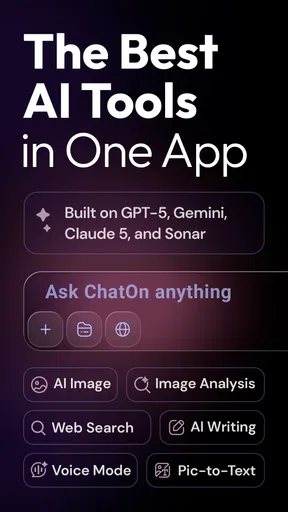
- Offers a wide range of AI functions.
- Quick response time for queries.
- Supports multiple languages seamlessly.
- Customizable settings for personalization.
Limitations of ChatOn - AI Chat Bot Assistant
- Limited free version features.
- Requires constant internet connection.
- Occasional minor bugs in updates.
- Premium features can be pricey.
- High battery consumption on prolonged use.
Other Releases by AIBY Inc.
View All
Fonts Art - Keyboard Fonts
Personalization4.5

Plantum - Plant Identifier
Education4.4

Themify: Theme & Icon Changer
Personalization3.7

Coin ID - Coin Identifier
Tools4.3
Similar Picks in This Category
View All
Google Calendar
Google LLC4.6

Google Drive
Google LLC4.3

Google Assistant
Google LLC3.9

Microsoft OneDrive
Microsoft Corporation4.6

Samsung Calendar
Samsung Electronics Co., Ltd.4.1

Microsoft OneNote: Save Notes
Microsoft Corporation4.6
Frequently Asked Questions
What platforms is ChatOn available on?
ChatOn - AI Chat Bot Assistant is available for both Android and iOS devices. Users can download the app from the Google Play Store for Android devices and the Apple App Store for iOS devices. It’s designed to be compatible with the latest versions of each operating system to ensure optimal performance.
Is ChatOn safe to use in terms of privacy?
ChatOn prioritizes user privacy and data protection. The app uses encrypted communication to safeguard your data and ensures that personal information is not shared with third parties. Users can review the app's privacy policy on the official website or within the app settings to get detailed information about data handling.
What features does ChatOn offer?
ChatOn offers a variety of features including real-time chat assistance, personalized responses, and integration with other services like calendars and reminders. It also provides language translation and text-to-speech functionality, making it a versatile tool for both personal and professional use. The app continuously updates to add more features based on user feedback.
Is there a subscription fee for ChatOn?
ChatOn offers a free version with basic features, but there is also a premium subscription available. The premium version includes advanced features such as priority customer support, additional customization options, and extended usage limits. Users can choose monthly or annual subscription plans depending on their needs.
Can ChatOn be used offline?
ChatOn requires an internet connection for full functionality, including real-time chat and updates. However, some basic features may be available offline, such as accessing previously saved conversations. For the best experience, it is recommended to use the app with a stable internet connection to ensure all features are accessible.
